 EN
EN

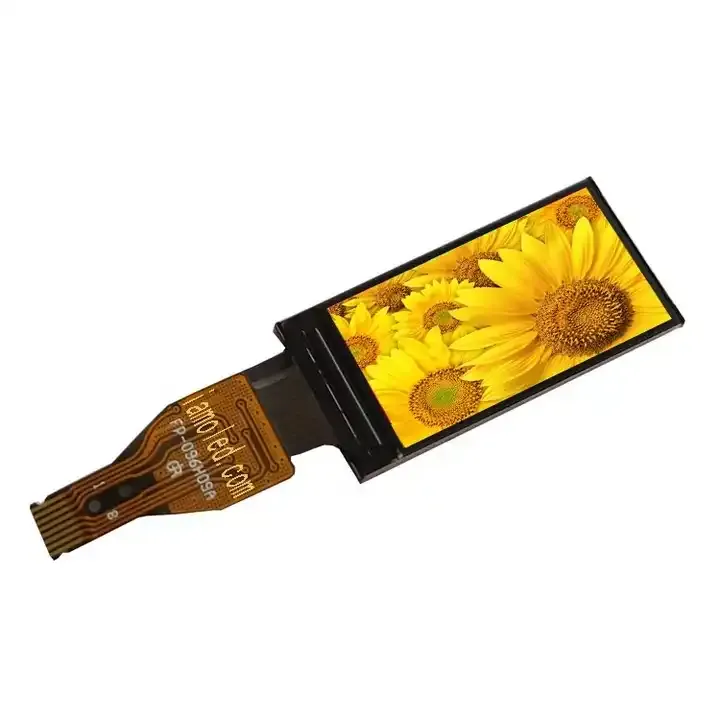
Match Display Panel Type to Application Environment
Indoor vs. Outdoor: Brightness, IP Rating, and Thermal Management Requirements
For indoor spaces, display panels usually work fine with moderate brightness levels between 300 and 500 nits that cut down on glare and save power. Outdoors is different though these screens need at least 2500 nits to stay readable under direct sunlight, something backed by standards like ISO 9241-307 and IEC 62368-1. When it comes to waterproofing, there's a big difference too. Most indoor displays just need basic dust protection rated IP30, but outdoor versions have to handle much worse conditions. They require IP65 rating minimum to stand up against rain, particles blown by wind, and constant moisture. The same goes for temperature control. Indoor displays generally get away with passive cooling methods, while outdoor models need active systems including special heat dissipating materials and components rated for extreme temperatures ranging from minus 30 degrees Celsius all the way up to 50 degrees. A recent study by Display Supply Chain Consultants in 2023 showed that outdoor panels without proper ratings tend to break down about three times quicker when exposed to humid weather conditions.
Specialty Form Factors: Transparent, Curved, and Fine-Pitch Display Panel Use Cases
Transparent display panels are opening up new possibilities for immersive experiences in retail spaces and architecture. The best ones let through about 38 percent or more light while still showing those digital overlays on shop windows or museum displays. When it comes to curved screens, they actually help people see better in control rooms and command centers because the shape matches how our eyes naturally work around the edges. This reduces tired eyes and mental fatigue when someone has to watch something for hours on end. For really sharp images up close, fine pitch LED panels with pixel sizes down to 1.5mm or smaller make all the difference. These are great for places where details matter most like corporate reception areas, operating rooms where surgeons need clear visuals, and TV production studios. Getting these displays mounted properly is no small task though. Transparent versions need special tension mounts without frames so the glass stays clean and clear. Curved displays have to sit on aluminum structures that match their exact curve radius otherwise the picture gets warped or stressed out over time. Skip this step and there's a good chance of problems down the road like distorted images, tiny cracks forming, or the whole thing breaking apart sooner than expected.
Evaluate Core Technical Specifications for Display Panel Performance
Brightness (Nits), Ambient Contrast Ratio, and Sunlight Readability
The brightness of a display, measured in nits or cd per square meter, plays a major role in how well it can be seen in different environments. Indoors, displays typically need around 300 to 500 nits to work properly. But when placed outside or near windows where there's lots of daylight, they need at least 1500 nits just to compete with the sun's glare. Some screens designed specifically for reading in bright conditions go even higher, hitting over 2500 nits by using special anti reflective coatings, HDR technology, and local dimming features that help maintain colors and contrast while keeping energy consumption reasonable. Another important factor is ambient contrast ratio, which basically measures how much brighter white appears compared to black under actual lighting conditions. Testing shows that displays with a 2000:1 contrast ratio perform noticeably better than those with only 1000:1 ratios when viewed in areas with strong reflections or glare, according to standards set by the VESA DisplayHDR certification program.
Pixel Pitch, Resolution, and Optimal Viewing Distance for Clarity
The spacing between LED centers, known as pixel pitch measured in millimeters, plays a big role in how clear an image looks and where it should be placed. Fine pitch displays ranging from P0.9 to P1.5 can handle resolutions beyond 4K when someone is sitting right next to them, under two meters away. These kinds of screens work great in places like hospitals for detailed medical images, fancy hotel lobbies with digital signs, or office spaces where people need to collaborate closely. When we look at larger pixel pitches between P4 and P6+, these tend to be more budget friendly for massive outdoor billboards or giant screens inside stadiums where viewers are going to be watching from quite far away, around 15 to 30 meters or more. There's actually a handy trick many professionals use: multiply the pixel pitch by somewhere between 1000 and 2000 millimeters to get the sweet spot for viewing distance. For instance, if someone has a P2.5 display, they'll probably want folks to stand between 2.5 and 5 meters back. Just having high resolution isn't enough though. If the pixel pitch doesn't match what's needed for the space, even top notch 4K content will look grainy when someone gets too close. That's why it makes sense to always check how well the resolution works with both where people will be standing and what kind of panel was installed.
Prioritize Human-Centric and Operational Needs in Display Panel Selection
Color Accuracy, Gamut Coverage, and Bit Depth for Professional Content
Color accuracy matters a lot in certain fields like medical imaging, film production work, and stores that care deeply about brand presentation. For these situations, professional monitors need to hit at least 95% sRGB coverage plus have 10 bits of color depth so gradients don't look banded and tones transition smoothly between shades. Most consumer level screens barely make it past 72% sRGB coverage and rely on 8 bit technology with some kind of dithering trickery, which can lead to problems interpreting images correctly or creating inconsistent brand colors across different devices. When manufacturers calibrate their displays right from the factory to meet Delta E values below 2 according to the CIEDE2000 standard, they get much closer to showing exactly what was intended when content was created. This kind of precision matters because in many industries, what people see on screen literally affects business decisions or regulatory requirements.
Response Time, Power Efficiency, and Thermal Behavior in Mobile or Edge Deployments
Displays used out in the field such as those found on portable ultrasound devices, toughened kiosks, or AI dashboard systems need to respond quickly, consume minimal power, and handle temperature extremes. When response times go over 8 milliseconds, users start noticing motion blur during interactions or when watching videos, which makes these interfaces frustrating to use. Low temperature polycrystalline silicon (LTPS) panels can get down to around 5ms response time while drawing less than 3 watts of power typically. This means batteries last about 30% longer compared to standard amorphous silicon (a-Si) panels. Heat management matters just as much though. Running displays continuously above 50 degrees Celsius causes OLEDs to degrade faster and messes with LCD color balance. For equipment placed inside sealed boxes or exposed directly to sunlight, make sure the display has built-in thermal protection features and works reliably across proper temperature ranges like from minus 20 degrees up to 70 degrees Celsius according to industrial standards set by IEC 60068-2.
Assess Physical Integration and Lifecycle Viability of the Display Panel
When looking at the big picture, physical integration and whether something will last over time really matter for overall costs, not just what we pay upfront when buying it. Let's start with size considerations first. Small panels around 10 inches or less work great for things like medical equipment that gets embedded inside other devices or those handy diagnostic tools people carry around. On the flip side, bigger screens measuring 55 inches and above give better visibility in places like control centers or busy transportation areas where operators need to see lots happening at once. Standard mounting options like those VESA brackets (either 75 by 75 millimeters or 100 by 100 mm) make it much easier to install these displays into older systems without too much hassle. Environmental protection is another key area to think about. Whenever there might be dust floating around, moisture getting in, chemicals splashing onto surfaces, or regular cleaning with water jets, go for enclosures rated IP65 or better. Also check if the temperature range (-30 degrees Celsius to 80 degrees Celsius for example) matches where they'll actually be used. Looking further ahead, don't stop at just reading specs sheets. Look for panels that promise at least 50 thousand hours between failures, have solid warranty coverage for components like backlights and driver circuits, and come with designs that let technicians swap out parts in the field instead of replacing whole units. And remember this important point too: always double check how long manufacturers plan to support their products and whether their supply chains remain stable. This matters especially for special orders or older part numbers because running into obsolete components later can lead to expensive system shutdowns or complete redesign projects down the road.
FAQ Section
What brightness levels are recommended for indoor and outdoor display panels?
Indoor display panels typically require brightness levels between 300 and 500 nits, while outdoor screens need at least 2500 nits to remain readable under direct sunlight.
What is the significance of IP ratings for display panels?
IP ratings indicate the level of protection against dust and moisture. Indoor displays usually require an IP30 rating, whereas outdoor versions should have a minimum of IP65 to withstand harsher conditions like rain and wind-blown particles.
Why is pixel pitch important in display panels?
Pixel pitch, measured in millimeters, determines image clarity and optimal viewing distance. Smaller pitches like P0.9 to P1.5 are ideal for high-resolution displays viewed up close, while larger pitches like P4 to P6+ are suitable for distant viewing, such as billboards.
How does color accuracy affect professional display use?
Color accuracy is crucial for fields like medical imaging and film production, where precise representation of content is essential. Professional displays should offer at least 95% sRGB coverage and a 10-bit color depth for smooth transitions and accurate colors.
What factors should be considered for display panels used in mobile or edge deployments?
Displays in such environments should have quick response times, be power-efficient, and operate within a wide temperature range to ensure reliability and user satisfaction.
Table of Contents
- Match Display Panel Type to Application Environment
- Evaluate Core Technical Specifications for Display Panel Performance
- Prioritize Human-Centric and Operational Needs in Display Panel Selection
- Assess Physical Integration and Lifecycle Viability of the Display Panel
-
FAQ Section
- What brightness levels are recommended for indoor and outdoor display panels?
- What is the significance of IP ratings for display panels?
- Why is pixel pitch important in display panels?
- How does color accuracy affect professional display use?
- What factors should be considered for display panels used in mobile or edge deployments?