 EN
EN

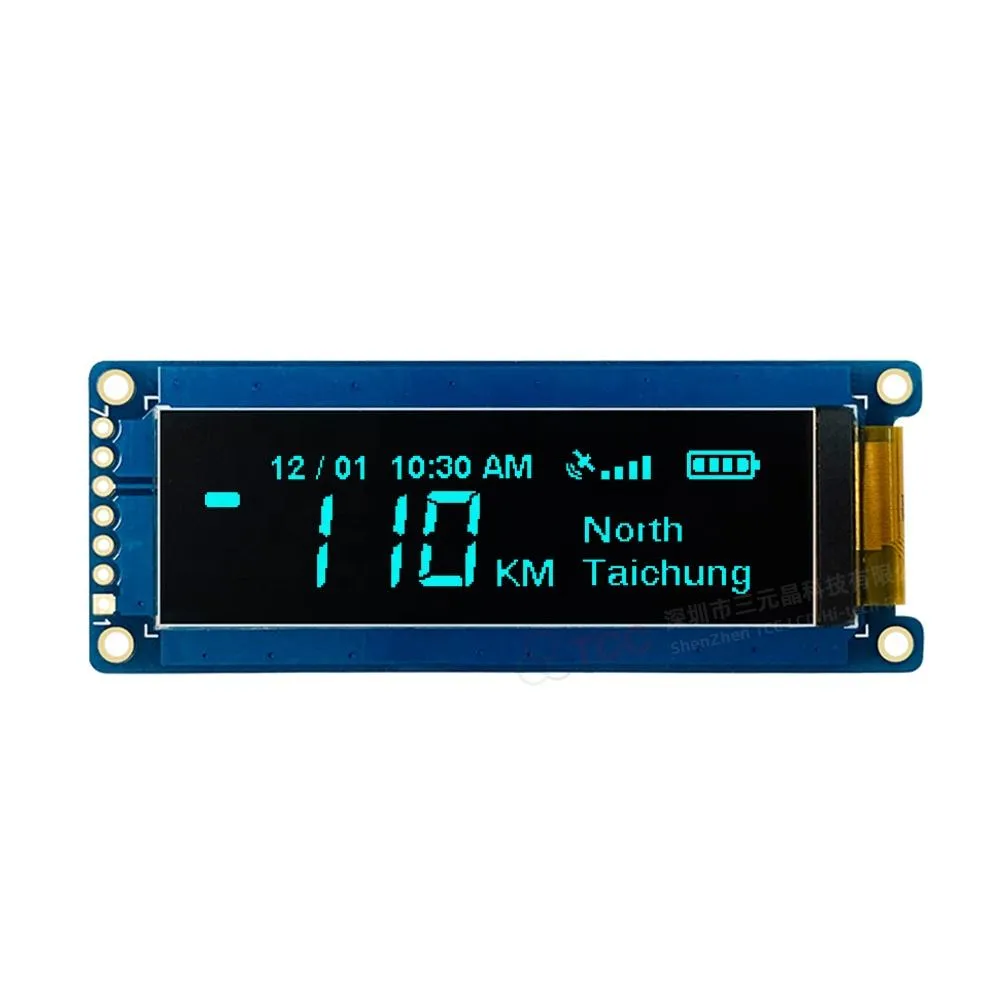
Matching OLED Display Module Resolution and Size to Application Needs
Optimizing Pixel Density and Viewing Distance for Medical, Industrial, and Consumer Use
When choosing the right resolution for OLED display modules, there's a need to find a middle ground between pixel density and how far away people will be looking at them. Going for maximum PPI isn't always best if it means burning through more power or driving up costs too much. Take medical imaging systems for instance, those surgical monitors really need that sharp detail. They typically operate around 12 to 24 inches from the viewer's eyes, so specs like 300 to over 600 PPI become essential for seeing those tiny anatomical features clearly. Industrial HMIs work differently though. Most operators check these at arm's length, somewhere between 18 and 36 inches away. For these applications, resolutions between 150 and 250 PPI strike just the right balance between readability and energy efficiency. Consumer wearables present another case altogether. Since they're usually worn close to the face, say 6 to 18 inches away, going beyond certain resolution thresholds doesn't make much difference visually but does eat into battery life significantly. Some tests show power consumption can jump anywhere from 15% to 30% when pushing PPI too high for wearable devices. Check out the table below which shows how different applications benefit from specific resolution ranges based on their intended use.
| Application | Recommended Viewing Distance | Optimal PPI Range | Brightness Requirement |
|---|---|---|---|
| Medical Imaging | 12-24 inches | 300-600+ | High (500+ nits) |
| Industrial HMI | 18-36 inches | 150-250 | Medium (300 nits) |
| Consumer Wearables | 6-18 inches | 100-200 | Low (200 nits) |
Balancing Physical Size, Power Budget, and Driver IC Compatibility
The size of display components has a major impact on how much power they consume, how they handle heat, and what kind of driver circuits work best with them. Take monochrome 1.3 inch OLED screens for instance they typically pull around 15 milliamps at most, which makes them great choices for those little battery powered IoT sensors we see everywhere nowadays. On the flip side, larger 5 inch color displays can guzzle upwards of 500 mA and need fancy driver chips such as the SSD1327 or RA8876 to function properly. Many industrial setups go for toughened 2.8 inch displays measuring 240 by 320 pixels that can withstand extreme temperatures from minus 30 degrees Celsius all the way up to plus 85, lasting roughly 50 thousand hours under these conditions. When board space is tight, engineers often turn to small 0.96 inch OLED panels connected to SPI compatible controllers like the SH1106 chip set. These manage to save precious real estate on printed circuit boards while still responding quickly enough for most applications. A good practice learned through years of troubleshooting is checking those interface voltage requirements early on during development. Making sure whether it's 3.3 volts or 5 volts logic level compatibility can prevent headaches later when signals start acting strangely or components get damaged unexpectedly.
Customizing OLED Display Module Content: Fonts, Icons, and CGRAM Programming
Designing and Embedding Application-Specific Glyphs via CGRAM
The Character Generator RAM, or CGRAM, gives engineers the ability to put their own special characters like ECG patterns, equipment status signs, and warning symbols right inside the OLED controller chip itself. This means no need to rely on outside fonts anymore and makes things run faster too, cutting down rendering delays by around 35-40% when compared to regular bitmap methods. For medical gear, having those specialized ECG symbols speeds up diagnosis while making it easier on technicians' brains. Industrial control panels benefit similarly with custom status lights that tell operators exactly what's going on instead of generic icons that everyone has to interpret differently. Most CGRAMs hold between 64 and 512 bytes total, so developers usually get space for about 8 to 64 unique characters in each bank. That's plenty room for those critical visuals that stay on screen even when power dips happen during brownouts or voltage drops.
Tailoring Symbol Sets for Industrial HMI, Accessibility, and Multilingual Support
Good content design isn't just about looking nice it has to work well while meeting all sorts of requirements from function to culture and regulations. Most industrial HMIs use those standard pictograms from ISO like the ones in ISO 7000 and ISO 7010 for showing hazards and giving feedback. These symbols get recognized everywhere around the world no matter where workers come from. When thinking about accessibility, designers should focus on high contrast icons that meet at least a 10 to 1 contrast ratio. Also important are fonts that scale properly without getting blurry when viewed from odd angles something we see all the time in car dashboards. Companies dealing with multiple languages find dynamic CGRAM bank switching really helpful. They can load Latin characters when needed, switch to Cyrillic for certain regions, or bring in Chinese Japanese Korean characters as required. This approach cuts down on having different hardware versions sitting in warehouses waiting to be shipped. Some manufacturers report inventory costs dropping by roughly 30% after implementing this solution.
Integrating OLED Display Modules with Host Systems: Interfaces and Mechanical Design
Selecting and Configuring I²C, SPI, or MIPI DSI for Seamless OLED Display Module Integration
The interface selected has a major impact on how efficiently data moves through the system, affects the number of pins needed, and influences overall system complexity. Take I²C for instance - its simple two wire setup works great for small screens below 128x64 resolution and basic sensors that just need to report temperature readings or similar information. The maximum speed here is around 3.4 Mbps which is plenty fast enough for displaying static text or showing simple status indicators. Moving up the scale, SPI provides much better performance with speeds reaching up to 50 Mbps using four separate lines. This makes SPI particularly suitable for mid sized displays used in factory equipment or smartwatches where users expect quick response times when interacting with the interface. When dealing with high resolution video content like what's seen on hospital monitors or car dashboards, MIPI DSI becomes necessary. It can handle bandwidth from half a gigabit per second all the way up to 6 Gbps thanks to its differential signaling approach. However there are tradeoffs here too. Systems using MIPI DSI require specific application processors such as those made by NXP (i.MX8 series) or Renesas (RZ/G2L models), and designers must pay close attention to PCB layout techniques to maintain proper signal quality across these high speed connections.
| Interface | Bandwidth | Pin Count | Best For Applications |
|---|---|---|---|
| I²C | ≈3.4 Mbps | 2 | Sensor readouts, simple HMIs |
| SPI | ≈50 Mbps | 4 | Industrial controls, wearables |
| MIPI DSI | 0.5–6 Gbps | 4+ | Video-capable systems |
Always match interface bandwidth to required refresh rates (e.g., 60Hz at 1080p needs ≈1.5 Gbps) and validate microcontroller peripheral support during prototyping to prevent bottlenecks.
FPC Layout, Touch Panel Bonding, and Ruggedization for Harsh Environments
Getting mechanical components properly integrated matters a lot when systems need to work reliably under tough conditions. When dealing with Flexible Printed Circuits (FPCs), there are some basic rules to follow. The bend radius should be at least ten times the material thickness to avoid conductor fatigue over time. Adding EMI shielding helps cut down on unwanted electrical interference, while incorporating strain relief at connection points prevents damage from repeated stress. Touch panels that use optical bonding rely on special adhesives matched to the glass's refractive index. This eliminates those pesky air gaps between layers, which cuts surface glare by around 80% and makes the panel much more resistant to impacts. These considerations become even more important in situations where equipment faces harsh environmental challenges.
- Apply silicone-based conformal coatings to protect against humidity, solvents, and condensation
- Use IP65-rated gasketing for dust and water ingress protection
- Mount displays with shock-absorbing isolators rated for ≈5G RMS vibration tolerance
These measures preserve structural integrity across thermal cycles from -40°C to 85°C—essential for outdoor kiosks, agricultural equipment, and heavy machinery interfaces.
Enhancing OLED Display Module Reliability Through Application-Driven Engineering
The reliability of OLED displays doesn't come from just looking at specs sheets. Real world performance depends on engineering choices made based on how these displays actually get used. Take medical equipment for instance. These need special seals that can handle both autoclave cleaning and EtO gas sterilization processes. The seals must keep moisture out over time without affecting patient safety. Industrial grade displays face different challenges. They have to survive constant vibrations (think 5G RMS levels), work through extreme temperature swings from -40 degrees Celsius to +85 degrees, and still function properly even when surrounded by electrical interference typical in factories. Automotive displays present their own set of problems too. They must manage heat buildup near engine components, maintain readability under bright sunlight (at least 1000 nits peak brightness), and use bonding techniques that meet ISO 16750 standards for all sorts of shocks and temperature changes. Getting reliable performance starts early with accelerated testing during development phases. Engineers simulate what happens after years of use including repeated thermal cycles, power on/off sequences, and humidity exposure. This helps catch hidden issues with materials, connections, or power systems before manufacturing ramps up. The result? Longer lasting products and fewer customer complaints down the road.
FAQ
What is the importance of matching OLED module resolution and application needs?
The optimal resolution is crucial for balancing readability and energy efficiency across various applications, such as medical imaging systems, industrial HMIs, and consumer wearables.
Why is CGRAM programming beneficial for OLED displays?
CGRAM enhances display function by embedding custom glyphs, reducing rendering delay, and offering multilingual support without requiring multiple hardware versions.
How do interface selections impact OLED display module integration?
The choice between I²C, SPI, and MIPI DSI interfaces significantly influences data efficiency, pin count, and system complexity, dictating the module's suitability for specific applications.
What mechanical adjustments improve OLED module durability in harsh environments?
Implementing flexible printed circuit guidelines, optical bonding, and environmental protection measures like conformal coatings and IP65-rated gasketing can enhance reliability under challenging conditions.
Table of Contents
- Matching OLED Display Module Resolution and Size to Application Needs
- Customizing OLED Display Module Content: Fonts, Icons, and CGRAM Programming
- Integrating OLED Display Modules with Host Systems: Interfaces and Mechanical Design
- Enhancing OLED Display Module Reliability Through Application-Driven Engineering
- FAQ